Overview
Some customers have reported instances where users are able to register for their Khoros Community Classic sites without providing an email address. This vulnerability allows accounts to be created with no email verification, which can lead to security concerns and suspicious user behavior, including unusual page view patterns.
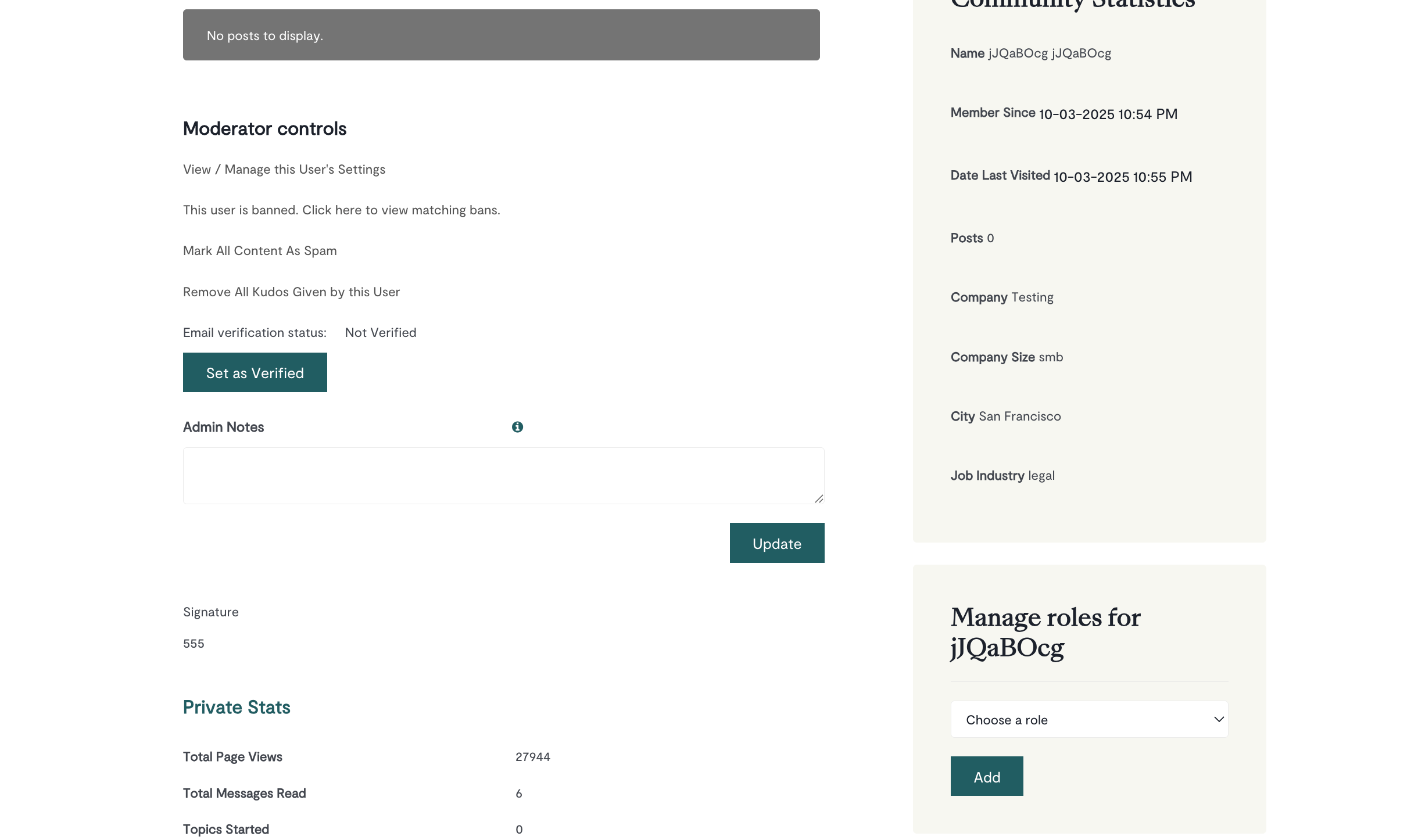
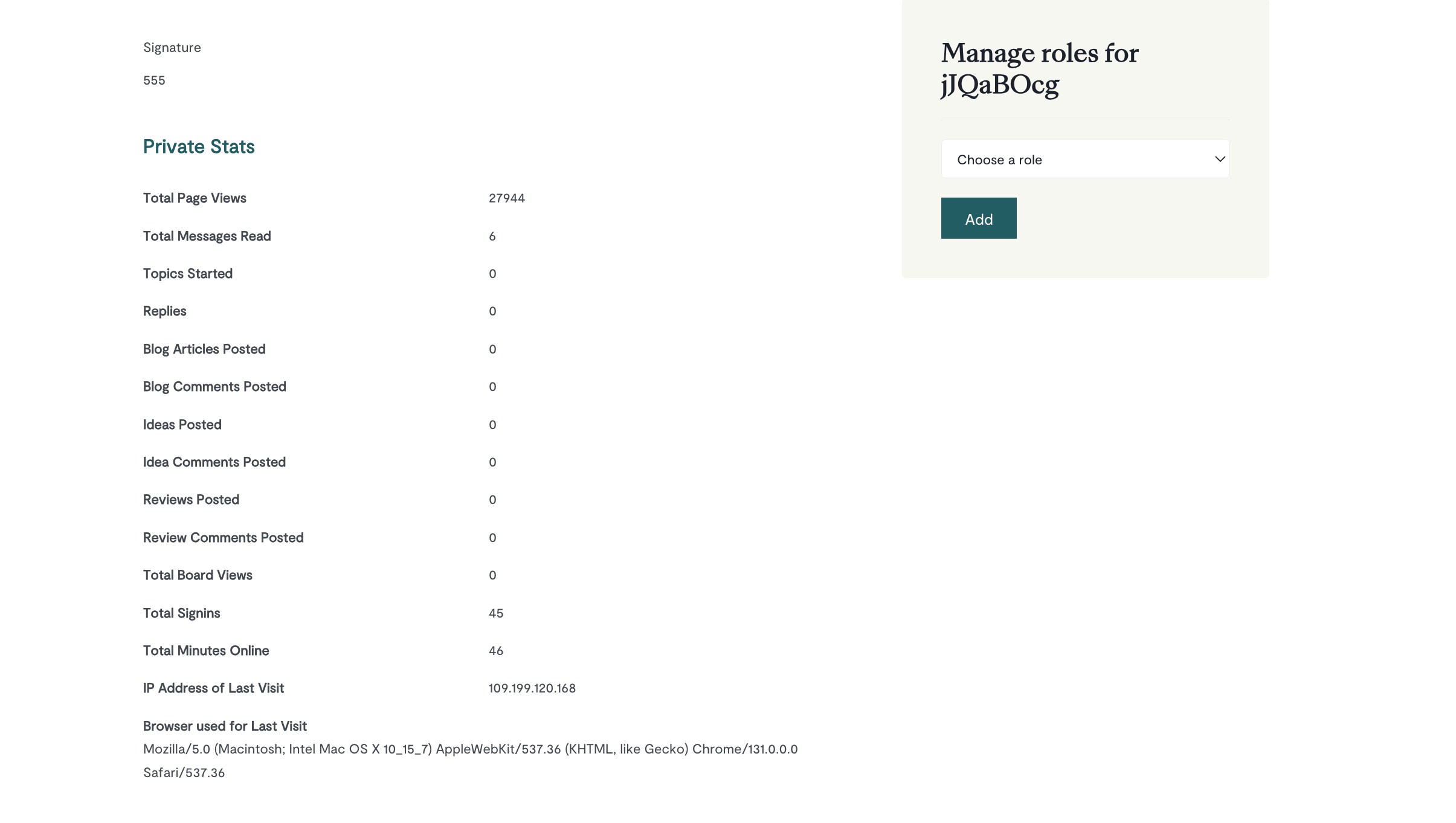
This issue has been identified and a fix is being deployed in version 26.1.
Solution
Step 1: Identify Affected Users
Log into your Community Admin panel and review your user list for accounts with missing email addresses. Look for:
- Users with blank EMAIL fields
- Recently registered accounts with suspicious activity patterns (e.g., unusually high page views with minimal engagement)
- Accounts that show "Not Verified" email status

Step 2: Ban or Remove Affected Accounts
For any users identified without email addresses:
- Navigate to the user's profile in Community Admin
- Select the option to ban or remove the user account
- Document the username and registration date for your records
Step 3: Monitor for New Registrations
Continue monitoring your user registration list for new accounts without email addresses until version 26.1 is deployed to your environment. Check your Community Admin regularly, especially after high-traffic periods.
Step 4: Subscribe to Release Notes
Stay informed about the fix deployment by subscribing to the Release Notes & Updates board. You'll receive notifications when version 26.1 release notes are posted with confirmed deployment dates.
Step 5: Verify Fix After Deployment
After version 26.1 is deployed to your environment (tentatively January 2026), verify that new user registrations require email addresses:
- Test the registration process on your community
- Confirm email verification is enforced
- Check that existing safeguards are functioning properly
Summary
A vulnerability that allowed users to register without email addresses in Khoros Community Classic has been identified and resolved. The fix will be included in version 26.1, with tentative deployment in January 2026. In the meantime, administrators should identify and remove affected accounts through Community Admin, monitor for new registrations without emails, and subscribe to release notes for deployment updates.
FAQ
Q1: When will this issue be fixed?
A1: The fix is scheduled for version 26.1, with tentative deployment dates of January 13, 2026 for staging environments and January 27, 2026 for production. Subscribe to the Release Notes board for confirmed dates.
Q2: What should I do if I find users without email addresses on my community?
A2: Navigate to Community Admin and ban or remove these user accounts. Continue monitoring for new accounts without emails until version 26.1 is deployed to your environment.
Q3: How can I tell if a user registered without an email address?
A3: In Community Admin, check the user's profile for a blank EMAIL field and "Not Verified" email verification status. These accounts often show unusual patterns such as high page views with minimal actual engagement (few posts or topics created).
Ciprian Nastase
Comments