Overview
The error This post contains content that is not permitted in the community. You must remove this content before publishing. with code 425 occurs when attempting to post messages via the API that include restricted HTML and JavaScript elements, such as <script> and <video-js> tags.
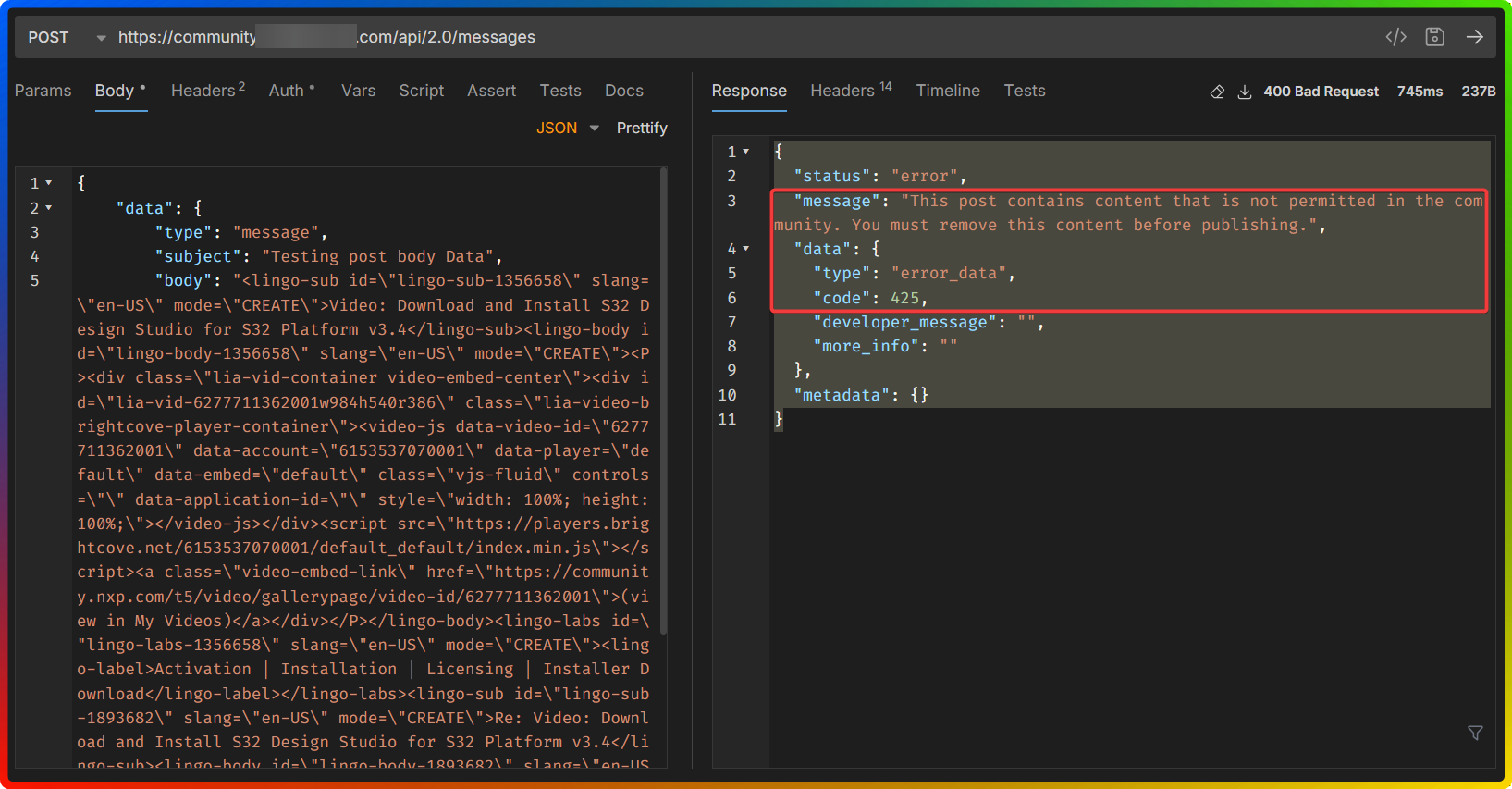
This issue is due to the community's content policies that block certain elements to prevent security vulnerabilities. The error affects posts with embedded video content that do not comply with the allowed HTML tags and embedding methods.
Solution
Follow these steps to resolve the 425 error:
-
Identify Restricted Elements:
- Review the API payload for any
<script>tags,<video-js>tags, or other disallowed HTML elements. - Compare the payload against the allowed HTML tags in the Community Text Editor (Allowed HTML Tags in the Community text editor)
- Review the API payload for any
-
Sanitize API Payload:
- Remove all disallowed HTML tags and JavaScript from the message body.
- Ensure the payload only contains permitted HTML elements.
-
Use Supported Video Embedding Methods:
- For video content, use the platform's supported methods, such as uploading videos via the attachments feature or using the rich text editor's video embed option.
- Avoid using raw embed code from external providers unless confirmed as allowed by the community's HTML policy.
-
Repost the Sanitized Content:
- Submit the sanitized API request without the restricted elements.
- Verify that the message is accepted without triggering the 425 error.
Important: Always ensure that API payloads comply with the community's content policies by sanitizing them before posting. Use officially supported video embedding/attachment mechanisms to avoid errors.
Frequently Asked Questions
- Q1. How do I know if this error applies to my situation?
- A1. You'll see the error message "This post contains content that is not permitted in the community. You must remove this content before publishing." with code 425 when attempting to post messages via the API that include restricted HTML or JavaScript elements.
Q2. What HTML tags are allowed in the community?- A2. You can review the allowed HTML tags in the Community Text Editor documentation provided by your community platform. Typically, script tags and most inline JavaScript are blocked by default.
Q3. What should I do if the error persists after removing restricted elements?- A3. Ensure that all disallowed HTML tags and JavaScript have been removed from the API payload. If the error persists, verify that you are using the supported video embedding methods and consult the community's content policies for further guidance.
Ciprian Nastase
Comments